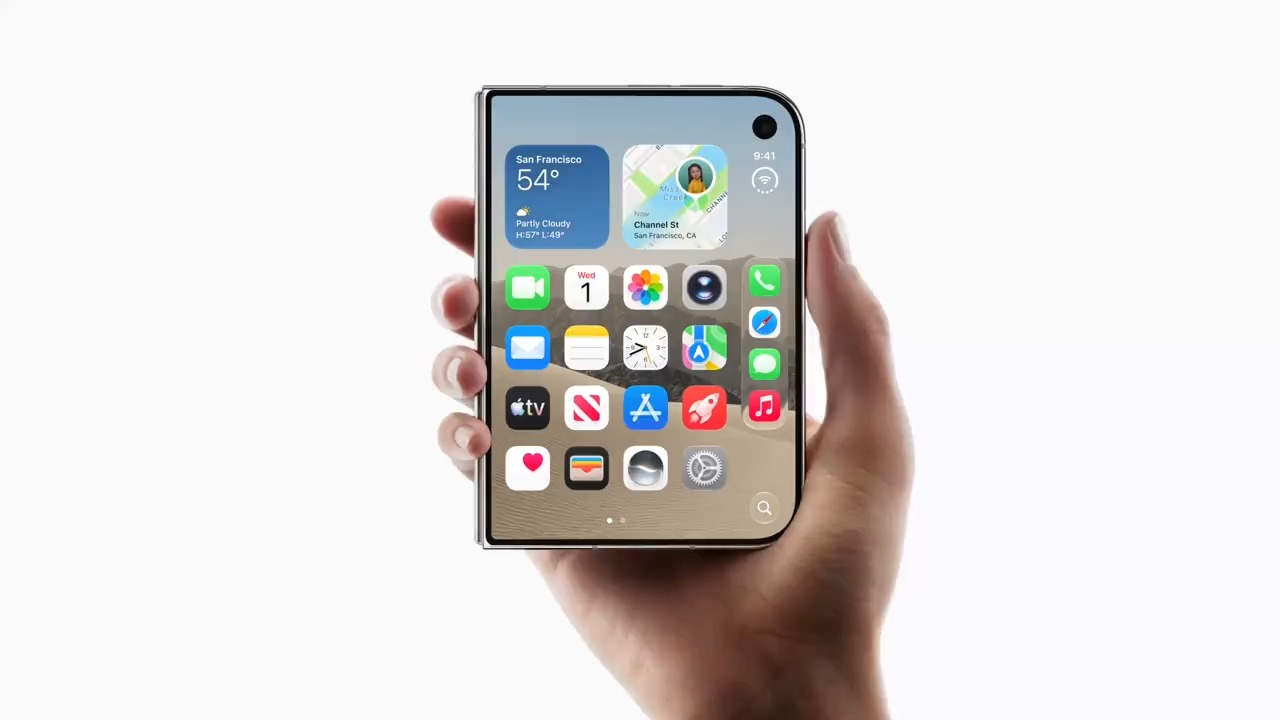
The short version: charge both phones, back up your old iPhone, transfer everything with Quick Start, move your number to eSIM, and install the update the Duo will almost certainly ask for. Most of that is the same as any new iPhone. Two things are different on the Duo: there is no SIM tray, so your number has to be on eSIM, and the phone ships with an older build of iOS 27.1 than the one Apple has already released. Here is the order to do it in when your Duo arrives on Friday, October 23.
Key takeaways
- The iPhone Duo is eSIM-only, with dual eSIM: two active lines and storage for eight or more eSIMs. There is no physical SIM tray.
- A line already on eSIM can move during setup if your carrier supports it. A line on a physical SIM may transfer during setup or need your carrier to convert it; processes vary by carrier.
- The Duo ships with iOS 27.1 build 24A94232. MacRumors reported that Apple has already released build 24A94425, so expect an update during setup.
- Apple's Quick Start transfers your data from your old iPhone or from iCloud.
- Keep your old iPhone until everything, including your number, works on the Duo.
Before the phone arrives
Back up your old iPhone. Make a fresh backup to iCloud or to your computer before Friday. If anything goes wrong during setup, a recent backup is your safety net.
Know your carrier account details. Moving a number to eSIM can involve your carrier, especially if your line is on a physical SIM today. Have your carrier account login to hand, and check your carrier's own instructions for moving a line to eSIM, because processes vary by carrier.
Update your old iPhone. Installing the latest iOS update on your old phone before you start is a sensible step, so both phones are on current software when they talk to each other.
Charge both phones. Apple says to keep both devices plugged in to power until the transfer is complete, so plan to set up near an outlet with two chargers.
Transfer your data
Apple's standard iPhone-to-iPhone method is Quick Start. Turn on the Duo, place it near your old iPhone, and follow the onscreen steps. Apple says your current iPhone should be connected to Wi-Fi with Bluetooth on, and that both devices should stay near each other and plugged in until the transfer is complete.
Quick Start offers two ways to bring your data across, according to Apple:
- Download from iCloud. Your apps and data download in the background, so you can start using the Duo right away.
- Transfer directly from your old iPhone. You wait for the transfer to complete on both devices before you can use either one.
If you would rather restore from your fresh iCloud backup, you can choose that during setup instead.
Move your number to eSIM
This is the Duo-specific step. The iPhone Duo has no SIM tray. It uses dual eSIM, with two active eSIMs at once and storage for eight or more, so every line you use has to be an eSIM.
If your line is already on eSIM. Apple says that if your carrier supports eSIM Quick Transfer, you can move the eSIM from your previous iPhone to your new one without contacting the carrier. If setup asks whether you want to transfer your phone number, follow the onscreen prompts.
If your line is on a physical SIM card. Apple says that if you are asked to transfer your phone number during setup, you can transfer a physical SIM or an eSIM using the onscreen prompts, and that with some carriers you can convert a physical SIM to an eSIM. If setup does not offer to move your line, contact your carrier to have it converted. Processes vary by carrier, so check your carrier's instructions rather than assuming one method works everywhere.
Two lines. Dual eSIM means you can keep two numbers active, such as a work line and a personal line. Our iPhone Duo eSIM explainer covers dual eSIM and travel plans in more detail.
The day-one update
The Duo ships with iOS 27.1 build 24A94232. MacRumors reported on October 13 that Apple has already released a newer build, 24A94425, so your Duo will very likely offer a software update during setup. MacRumors notes that the shipping build is finalized weeks before release, which is normal for an Apple launch.
Stay on Wi-Fi and keep the phone plugged in so the update can finish. If setup offers the update, install it. Our article on what iOS version the iPhone Duo ships with explains why you will see both iOS 27 and iOS 27.1.
First settings worth changing
Once you are through setup, a few things are new on the Duo:
- Two displays. The Duo has a 5.4-inch outer display for quick tasks and a 7.6-inch inner display when unfolded. Spend a few minutes using both before you change anything, so you know which one you reach for.
- Split View. Apple confirms Split View runs two apps side by side on the inner display. Apple's own examples are your Photos library on one side with Mail on the other, or two Safari windows.
- Your home screens. After a Quick Start transfer, your apps come across from your old iPhone. It is worth reviewing how they look on the larger inner display.
If something goes wrong
Launch days for any new iPhone are busy for Apple's and carriers' activation systems, and delays with activation or number transfers are a common experience across past iPhone launches. That is general experience, not anything specific reported about the Duo. If your number does not move across:
- Keep your old iPhone powered on and do not erase it until your number works on the Duo.
- Check your carrier's own support resources for eSIM activation, since the fix often sits with the carrier.
- If the data transfer stops partway, restoring from the backup you made beforehand is your fallback.
Once calls, messages, and your apps all work on the Duo, you can erase your old iPhone. If you are still waiting for a delivery date, our pre-order week recap covers where estimates stand.
Frequently asked questions
Can I use my physical SIM card in the iPhone Duo?
No. The iPhone Duo is eSIM-only and has no SIM tray. Depending on your carrier, setup may offer to transfer your number from your old iPhone, including from a physical SIM; otherwise, your carrier converts the line to eSIM. Processes vary by carrier.
Will the iPhone Duo need an update during setup?
Probably. It ships with iOS 27.1 build 24A94232, and MacRumors reported on October 13 that Apple has already released a newer build, 24A94425. Expect to install an update when you set the phone up.
Should I transfer from my old iPhone or from iCloud?
Either works with Apple's Quick Start. Apple says downloading from iCloud lets you start using the new phone right away while apps and data download in the background, while a direct transfer means waiting until it completes on both devices.
When can I erase my old iPhone?
Only after everything is on the Duo and your number works on it. Keep the old phone until calls, messages, and your apps are working on the new one.
Sources
- Apple Support, Use Quick Start to transfer data to a new iPhone or iPad: transfer options, Wi-Fi and Bluetooth, keeping devices close and plugged in.
- Apple Support, Set up eSIM on iPhone: eSIM Quick Transfer, transferring a physical SIM or eSIM during setup, converting a physical SIM with some carriers.
- Apple, iPhone Duo technical specifications: dual eSIM, no physical SIM, display sizes.
- Apple Newsroom, "Apple unveils iPhone Duo," September 2026: Split View, available with iOS 27.1, October 23 availability.
- MacRumors, "iPhone Duo Will Have Day-One iOS 27.1 Update," October 13, 2026: shipping build 24A94232 and newer build 24A94425.
- Image: Apple.